


It’s time to expand the setup with more services and upgrades.
1. Making the Switch to Tailscale
First off, huge thanks to Sathya sir for introducing me to Tailscale—it’s been a game-changer!
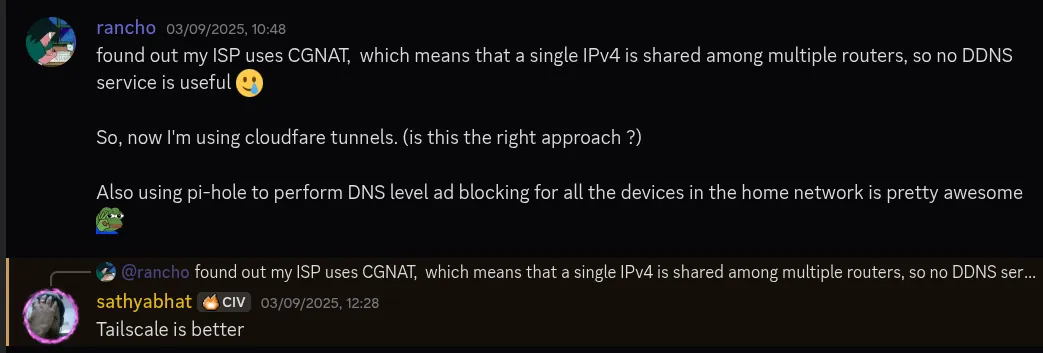
What exactly is Tailscale?
If you’re new to Tailscale, here’s the simple explanation:
- It’s a mesh VPN service built on the open-source WireGuard protocol.
- Instead of the traditional hub-and-spoke VPN model, Tailscale creates direct, encrypted peer-to-peer connections between your devices.
- This means only devices in your private network (called a “Tailnet”) can communicate with each other.
Read more about it here: What is Tailscale
Why I switched from Cloudflare Tunnels
After experimenting with Tailscale, I was convinced it was the better approach for most of my services. Here’s why:
- Security: My services are now only accessible to devices in my private Tailnet—no more exposing services to the entire internet.
- Protocol Support: Unlike Cloudflare Tunnels (which only supports HTTP/HTTPS by default), Tailscale supports UDP and other protocols right out of the box.
So I migrated most of my services from Cloudflare Tunnels to use the home lab’s local IP within the Tailnet.
Why I still use Cloudflare Tunnels for some services
Despite loving Tailscale, I haven’t completely ditched Cloudflare Tunnels. Here’s why:
- 1. Public Access: Some services (like my Matrix server) need to be accessible to friends who aren’t on my Tailnet. Adding everyone’s devices to my private network isn’t practical.
- 2. HTTPS Support: Services like Vaultwarden require HTTPS to function properly. Cloudflare Tunnel acts as a reverse proxy and handles all the certificate management automatically.
I did try setting up custom certificates with Certbot once, but it was a disaster. I couldn’t install packages via Pacman or pull Docker images—the whole system got messed up. Eventually, I had to remove everything related to that setup just to get my system back to normal. For now, I’m sticking with Cloudflare Tunnels until I figure out a clean and reliable way to manage custom certificates.
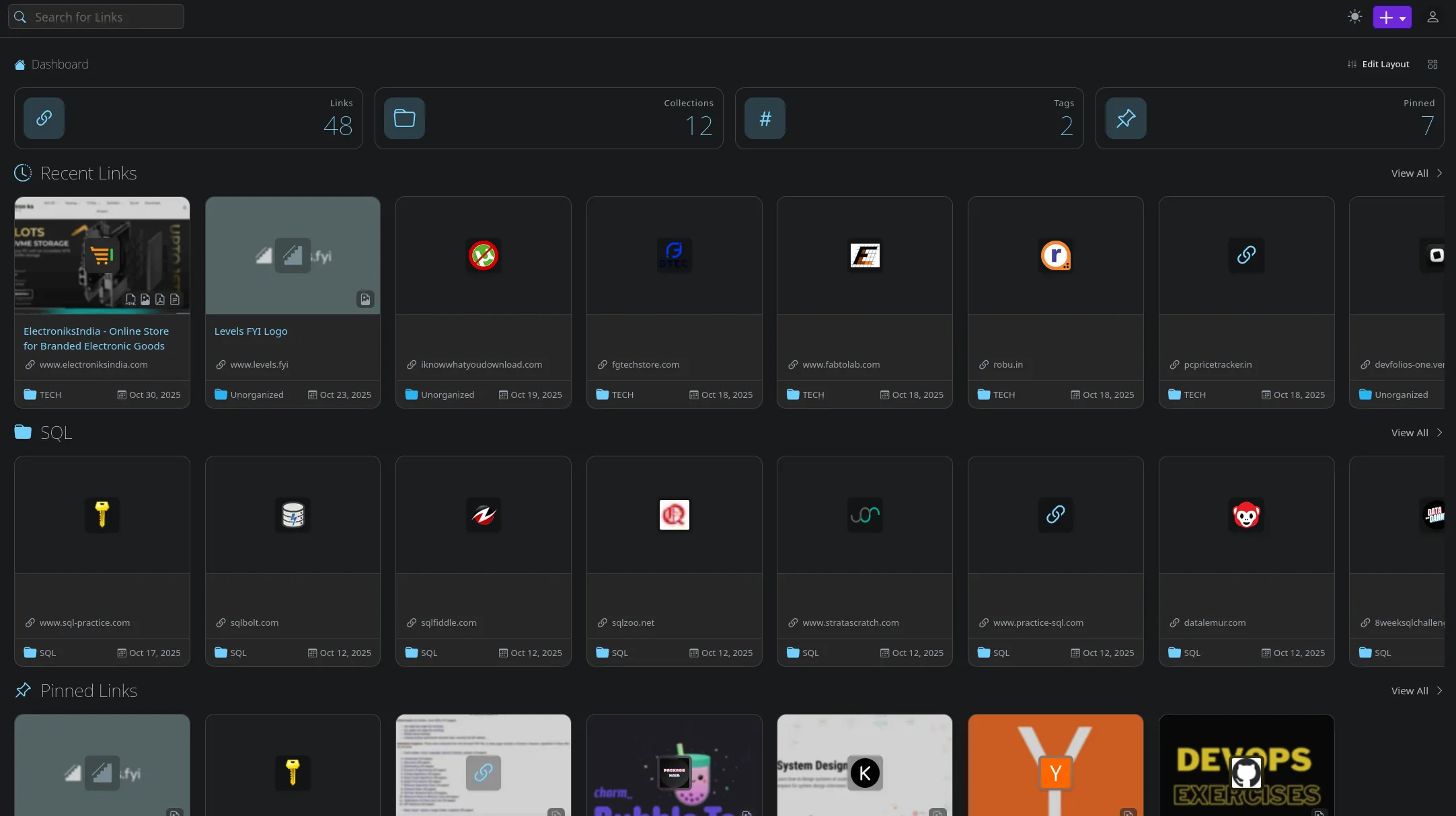
2. Linkwarden: Bookmark Manager
Linkwarden is a self-hosted, open-source collaborative bookmark manager designed for collecting, organizing, and archiving webpages. Think of it as your personal internet archive—you can save content in multiple formats like PNG/JPG, PDF, HTML, and more.
A small performance problem (and the fix)
One thing I noticed right away: Linkwarden starts multiple parallel workers to scrape and save content in different formats. While this speeds up the archiving process, it was causing my CPU to spike suddenly whenever I saved a new bookmark.
The fix was simple—just add this parameter to your Docker Compose file:
MAX_WORKERS=1This limits it to a single worker, which is perfectly fine for my use case.
3. ntfy + LoggiFly: Notifications
ntfy
- ntfy is a simple HTTP-based pub-sub notification service. It’s incredibly straightforward—you can send notifications via HTTP requests and receive them on your phone or desktop.
- There are many integrations and scripts I’ve applied, including cron jobs monitoring disk space - CPU usage, SSH login alerts, etc.
- Check out more examples here: https://docs.ntfy.sh/examples/
LoggiFly
- I also use LoggiFly, which is a lightweight tool that monitors Docker container logs for predefined keywords or regex patterns and sends notifications when matches are found.
- I’ve set up multiple triggers with LoggiFly—for example, I get notified whenever there’s a failed login attempt on any of my services. It’s like having a security guard that never sleeps, keeping an eye on all my containers.
4. Mindustry: Gaming
- Mindustry - yet another tower-defense strategy game, but with lots of features - self-hosted, multiplayer, cross-platform, etc.
- Thanks to Sam for this tutorial on setting up the server using Docker. The setup was easy and straightforward.
- I’ll be honest—I binged this game for a straight week and completely sucked all the fun out of it. But it was worth it!

Shoutout to @rjanupam for creating an impressive power station setup:
- Just 8 Impact reactors powering the entire map! 😲
- Such a beautiful setup with near perfect structured pipeline-conveyor system 🤌
5. FreshRSS: The GOAT 🐐
FreshRSS is a self-hosted RSS feed aggregator, and I’m so glad I set it up. RSS is such beautiful technology—it lets you fetch content from all over the internet and save it in one place without any ads or distractions.
- it is the best, no discussion.
FreshRSS supports various Readers. Check out the full list here: Supported Apps
I personally use FeedMe on Android because it has some fantastic features:
- Mark as Read when scrolled: No need to manually mark articles as read
- Gemini API summary: This is the best feature 🤌—AI-powered summaries of long articles
RSS feeds have given me back control over my content consumption. No more doom-scrolling through algorithmic feeds—just the content I actually want to read, delivered cleanly and efficiently.
Wrapping Up
- Self-hosting is the way to go!
- All hail to devs who build these amazing open-source tools! 🤘